Call from the record
See the customer's calling permission before you call. Choose your outgoing number in the dialer; the last number used with this contact is selected when it is still assigned to you.
Call and message from the Bitrix24 record you already have open. WABA Connect brings your Twilio WhatsApp numbers into a Chrome side panel, with the conversation kept together.
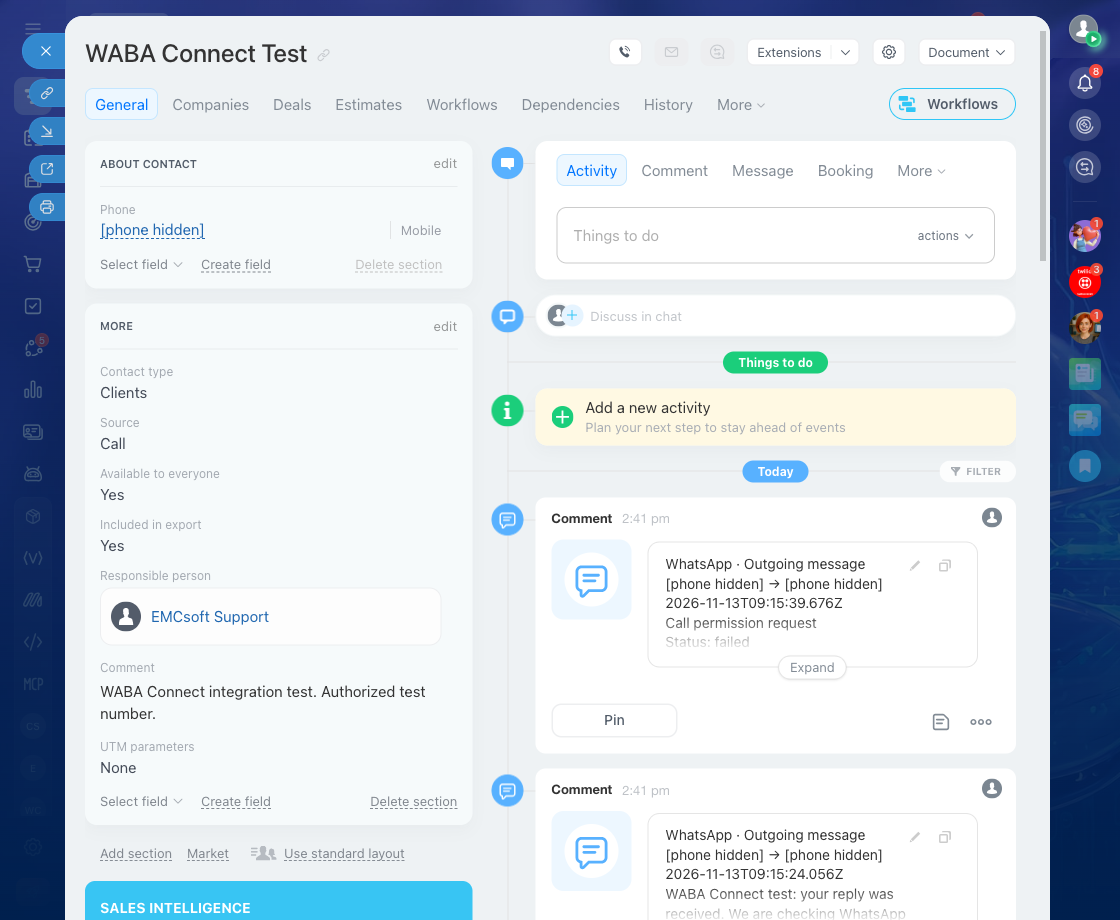
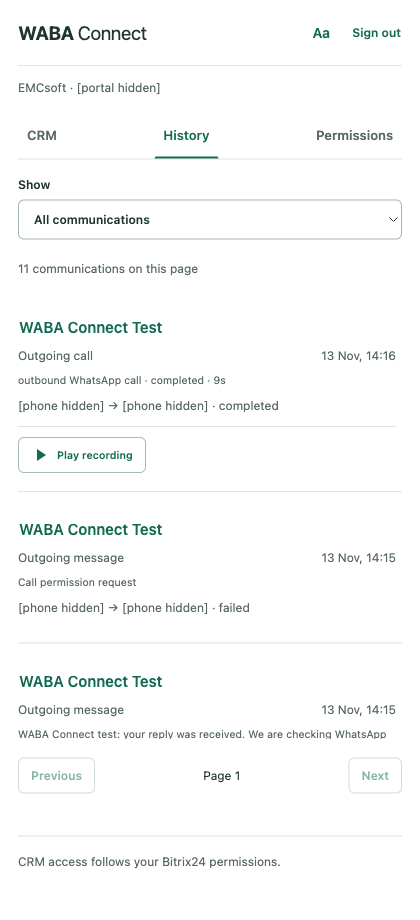
Actual application captures from a test portal, arranged side by side. Identifying details are hidden.
Open a CRM list to see its records and phone numbers. Open a contact, lead, deal or company to work with its conversation.
See the customer's calling permission before you call. Choose your outgoing number in the dialer; the last number used with this contact is selected when it is still assigned to you.
Messages, calls and available recordings stay together across numbers. Employees can read a record's history when their Bitrix24 permissions allow access, even without an assigned sending number.
When the WhatsApp messaging window closes, choose an approved template. Administrators import, create and manage templates from Settings, including their approval statuses.
The Permissions tab shows requests and their outcomes. Badges highlight changed statuses and clear after they are viewed. History lets you return directly to the related CRM record.
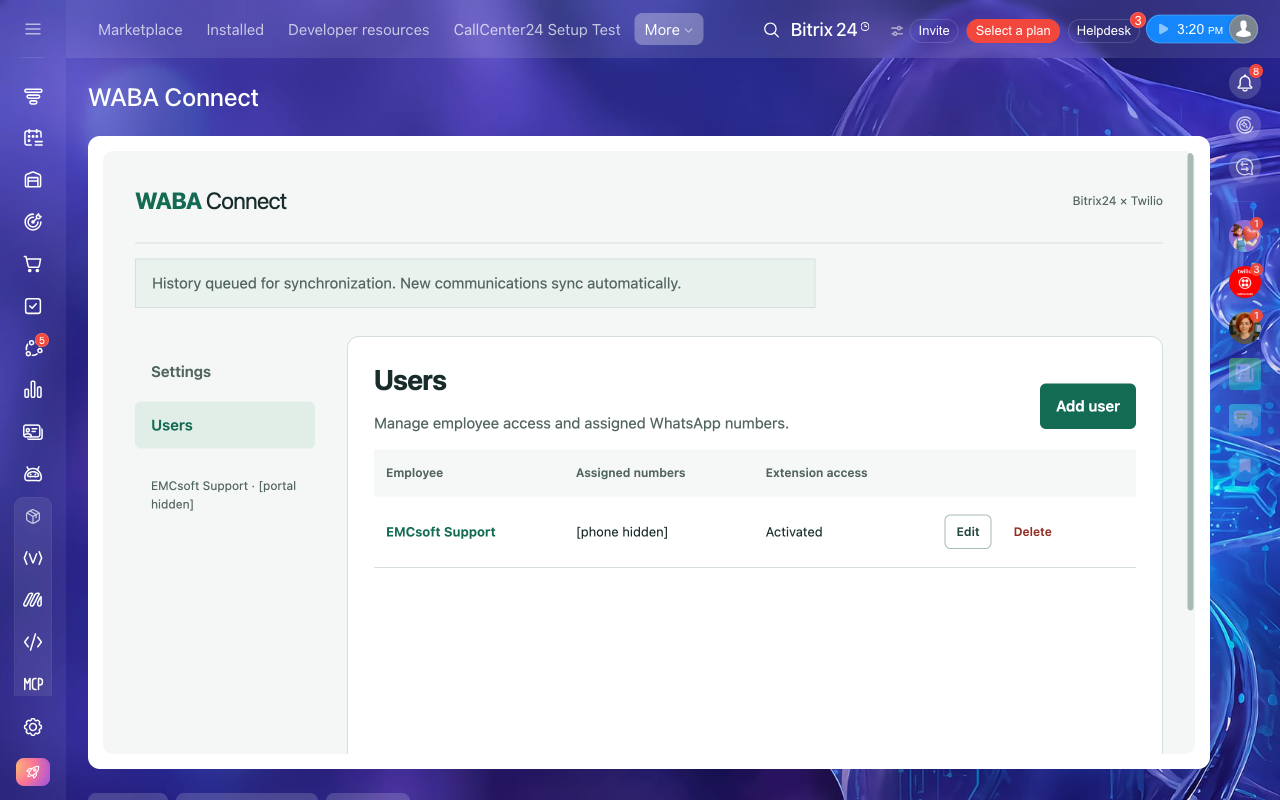
Connect Twilio with an Account SID, API Key and API Secret. Add employees, assign their numbers and issue a personal extension authorization code.
Number assignment configures WABA Connect's routing automatically. Employee pages show call and message statistics; CRM receives message entries and call activities with available recordings.
See the administrator guideAn administrator sets up the integration. Each employee connects the extension with their own Bitrix24 account.
Read the full setup guideReview the documents and optionally share your contact details. Local installations then require their Bitrix24 application credentials.
Enter your three Twilio credentials, assign WhatsApp numbers and generate employee authorization codes.
Enter your code, authorize your Bitrix24 account and allow access to your portal. Keep the panel open to receive calls.
A Bitrix24 portal that supports REST applications, an administrator for setup, desktop Chrome, and a Twilio account with a registered WhatsApp Business sender. Calling must be available for that sender and destination.
Assigning a number configures its messaging and voice routing for WABA Connect. Plan the switch if the number is already used by another application; its previous routing will be replaced.
Yes, using an approved template where required and with the customer's appropriate messaging opt-in. The customer does not have to write first. Free-text replies become available within the customer service window after the customer's message.
WABA Connect registers call activities and attaches available recordings. Messages are added to the CRM timeline, with delivery updates. CRM export depends on the installation's authorized access; administrators can check synchronization in Settings.
Contact EMCsoft for application pricing. Twilio usage, WhatsApp charges and your Bitrix24 plan are billed separately by their providers.
Uninstalling disables the integration. Stored history is not automatically erased. Use the data deletion process to request removal; copies in Bitrix24 or Twilio require coordination with those account administrators.
Start with your portal, your Twilio number and your team.